Montessori and Screens: A Guide for Expat Families in Sotogrande & Costa del Sol

In a world where devices are in every pocket, figuring out how to live with screens is one of the big questions of modern parenting. The Montessori pedagogy offers a clear compass: observe the child, prepare the environment, and respect their natural need for movement, sensory manipulation, and human contact. Montessori and screens are not opposing concepts, but they do require conscious decisions. In this article we explore international school near Sotogrande in depth with practical examples.
- Key Points
- Why Montessori Approaches Screen Use in Early Childhood with Caution
- What Neuroscience Says About Devices and the Child’s Brain
- Screens According to Developmental Stage
- The “Just a Little While” Trap: Why Vague Limits Don’t Work
- The Adult as Model: How Much Time Do You Spend on Your Phone?
- Real Alternatives: How to Fill the Day Without Turning to the Tablet
- When It Does Make Sense to Use Technology at Home
- Frequently Asked Questions
- Key Takeaways
Key Points
- Montessori pedagogy prioritizes direct sensory experience over passive screen stimulation.
- It’s not about banning technology, but about introducing it at the right developmental stage.
- The adult is the model: children learn more from what they see than from what they’re told.
- Creating a prepared environment with real activities reduces the need to turn to devices.

Why Montessori Approaches Screen Use in Early Childhood with Caution
Maria Montessori designed her method based on decades of direct observation. She saw that young children need to touch, smell, pour, walk, and explore with their whole body. A screen offers visual and auditory stimuli, but eliminates the tactile and kinesthetic dimension that the developing brain demands. When it comes to international school near Sotogrande, it pays to listen to what families and lead guides actually report.
Recent research supports this caution. The American Academy of Pediatrics (AAP) recommends avoiding screens before 18 months, except for family video calls. Between ages 2 and 5, it suggests limiting use to one hour a day of quality content. These recommendations align with the Montessori view: in the early years, the brain needs real human interaction, not flat images. Daily practice with international school near Sotogrande reveals nuances no handbook fully captures.
If you’re exploring Montessori schools in the area, book a personalized visit to the school to see how the prepared environment works at each stage. Understanding international school near Sotogrande from inside the classroom reshapes everyday decisions.

What Neuroscience Says About Devices and the Child’s Brain
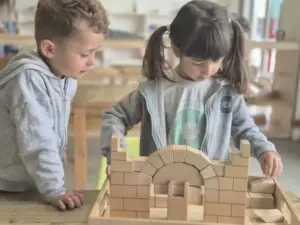
The brain of a child aged 0 to 6 is in the midst of forming neural networks. Each sensory experience creates connections. When a child stacks wooden towers, they are training hand-eye coordination, concentration, and problem-solving. When they watch a video, their brain processes images passively. Concrete data on international school near Sotogrande is worth reviewing before acting on assumptions.
This doesn’t mean a video is always harmful. It means the type of learning is different. Real play activates the prefrontal cortex, responsible for executive functions like planning and impulse control. Passive content consumption doesn’t stimulate these areas in the same way.
A study published in JAMA Pediatrics in 2019 found that children with more screen time at age 2 showed less cognitive development at age 3. This isn’t alarmism: it’s information for making informed decisions.

Screens According to Developmental Stage
Ages 0 to 3 (Nido): The World is Sensory
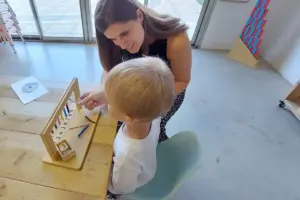
At this stage, the baby and toddler learn through their senses. Montessori proposes an environment rich in real materials: treasure baskets, objects with different textures, free movement. Screens have no place here. The baby cannot distinguish between a cartoon and reality. They confuse the rhythm of digital stimuli with that of the real world.
If you need a moment of pause, a basket with safe objects or a window with a view of the outside offers more real stimulation than any app.
Ages 3 to 6 (Children’s House): The Age of the Hands
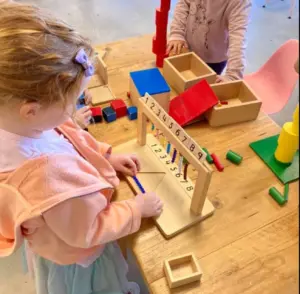
Children aged 3 to 6 are in what Montessori called the sensitive period for order, language, and fine manipulation. They want to do everything with their hands: cut, cook, sort, write. Introducing screens moderately is possible, but always after satisfying these needs for real activity.
If you decide to use a digital resource, choose active content: free drawing apps, audiobooks, short nature videos that spark curiosity. Never as a substitute for play or as a soothing tool for a tantrum.
Ages 6 to 12 (Workshop): Technology as a Tool
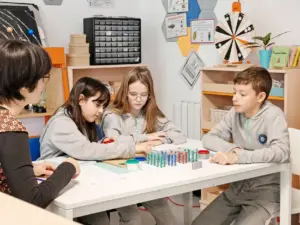
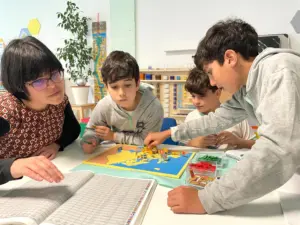
In the elementary stage, the child reasons, investigates, and questions. Here, technology makes sense as a research tool: searching for information, creating presentations, learning basic programming. The Montessori approach changes: it’s not about banning, but about giving purpose. Why are you using the device? Does it help you create or just consume?
In our Workshop, children aged 6 to 12 learn to use technology with intention. It’s not entertainment: it’s a resource at the service of a project.
The “Just a Little While” Trap: Why Vague Limits Don’t Work
One of the most common mistakes is using the screen as a transition: “just a little while I cook,” “five more minutes.” The problem is that young children have no concept of time. They don’t understand “five minutes.” And the stimulation of a screen is so intense that interrupting it generates frustration, not understanding.
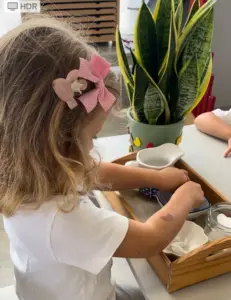
The Montessori alternative is simpler than it seems. Prepare accessible activities that the child can do independently. A tray with buttons to string, a small jug for pouring water, a book with textures. If the child is occupied with something real, the screen ceases to be the first option.
The Adult as Model: How Much Time Do You Spend on Your Phone?
Children imitate what they see. If we spend dinner looking at our phones, we can’t ask them not to. Montessori insisted that the adult is part of the environment. Your way of using technology teaches more than any talk.
It’s not about guilt, but about awareness. Ask yourself: do I use my mobile in front of my children to work or to escape? Can I leave the phone in another room during dinner? Am I consistent with what I ask?
Small changes have a big impact. A study from Boston Children’s Hospital showed that parents who reduced their own screen use improved the quality of interaction with their children. Example leads the way.
Real Alternatives: How to Fill the Day Without Turning to the Tablet
The key is not taking the screen away, but offering something more attractive. A child overwhelmed by boredom will seek the easiest stimulation. If the environment is prepared, they’ll choose real activity.
- Real Cooking: whisking, cutting with a safe knife, kneading. Develops fine motor skills and concentration.
- Water and Soap: washing dishes, pouring with sponges. Many children can stay focused for 20 minutes.
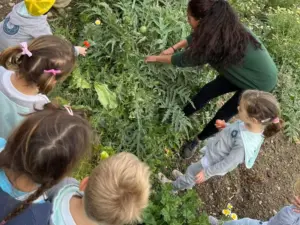
- Nature: a leisurely walk observing ants, collecting stones, jumping in puddles.
- Open-Ended Art: finger painting, homemade playdough, collage with magazine cutouts.
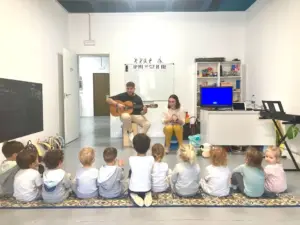
- Music and Movement: singing, dancing, playing simple instruments.
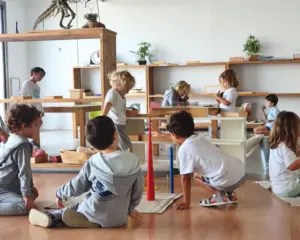
At IMS, these activities are part of everyday life. Children in Nido and Children’s House spend most of their time manipulating real materials. The screen isn’t missed because the environment doesn’t need it.
When It Does Make Sense to Use Technology at Home
It’s not about eliminating all screens. There are contexts where technology adds value:
- Video calls with distant relatives. Human contact, even if virtual, has emotional benefits.
- Audiobooks for children who enjoy stories before bed.
- Nature or science videos that spark questions: “why do volcanoes spit fire?”.
- Music: playlists of songs in different languages for bilingual or trilingual families.
The difference lies in the intention. If the device is a tool with a specific purpose, it works. If it’s an automatic resource against boredom, it becomes a problem.
Frequently Asked Questions
Is it bad for my 2-year-old to watch cartoons?
It’s not a matter of “good” or “bad,” but of quantity and quality. The AAP recommends avoiding screens before 18 months and limiting to one hour a day until age 5. If you decide to show something, choose slow-paced content with real stories and no abrupt scene changes. Better if you watch it with them and talk about what’s happening.
What do I do when my child asks for the tablet all the time?
It’s a sign that it has become a habit. It’s not solved with a flat “no,” but with alternatives. Prepare accessible activities on low shelves: puzzles, art materials, books. If the child has real options within reach, the tablet stops being the first thing they ask for. The transition takes a few days of patience.
Do you use screens in class at IMS?
In the Nido and Children’s House stages (0-6 years), we do not use screens as an educational resource. Montessori materials are manipulative and sensory. In the Workshop (6-12 years), technology is used as a tool for concrete research and creation projects, never as passive entertainment.
Is Montessori against technology?
No. Montessori is not anti-technology, but pro-real experience. Technology is a powerful tool when used with purpose. The method simply prioritizes that the child first develops their motor, cognitive, and social skills through direct manipulation before introducing digital stimuli.
Key Takeaways
The relationship between Montessori and screens is based on a simple idea: offering the child real experiences before virtual stimuli. It’s not about banning technology, but about introducing it at the right time and with clear intention. A prepared environment with manipulative activities drastically reduces the need to turn to devices.
If you want to see how this philosophy is applied in a real classroom, we invite you to visit IMS Sotogrande. You can book a personalized visit to explore our prepared environment and have your questions answered by our team.